

The RedSeed app, redesigned
If you opened RedSeed on your phone this week, it looks different. The whole app has moved onto the RedSeed design system, with dark mode, and it is the same design on iPhone and on Android.
 Marius WiumHead of Product · 21 September 2026
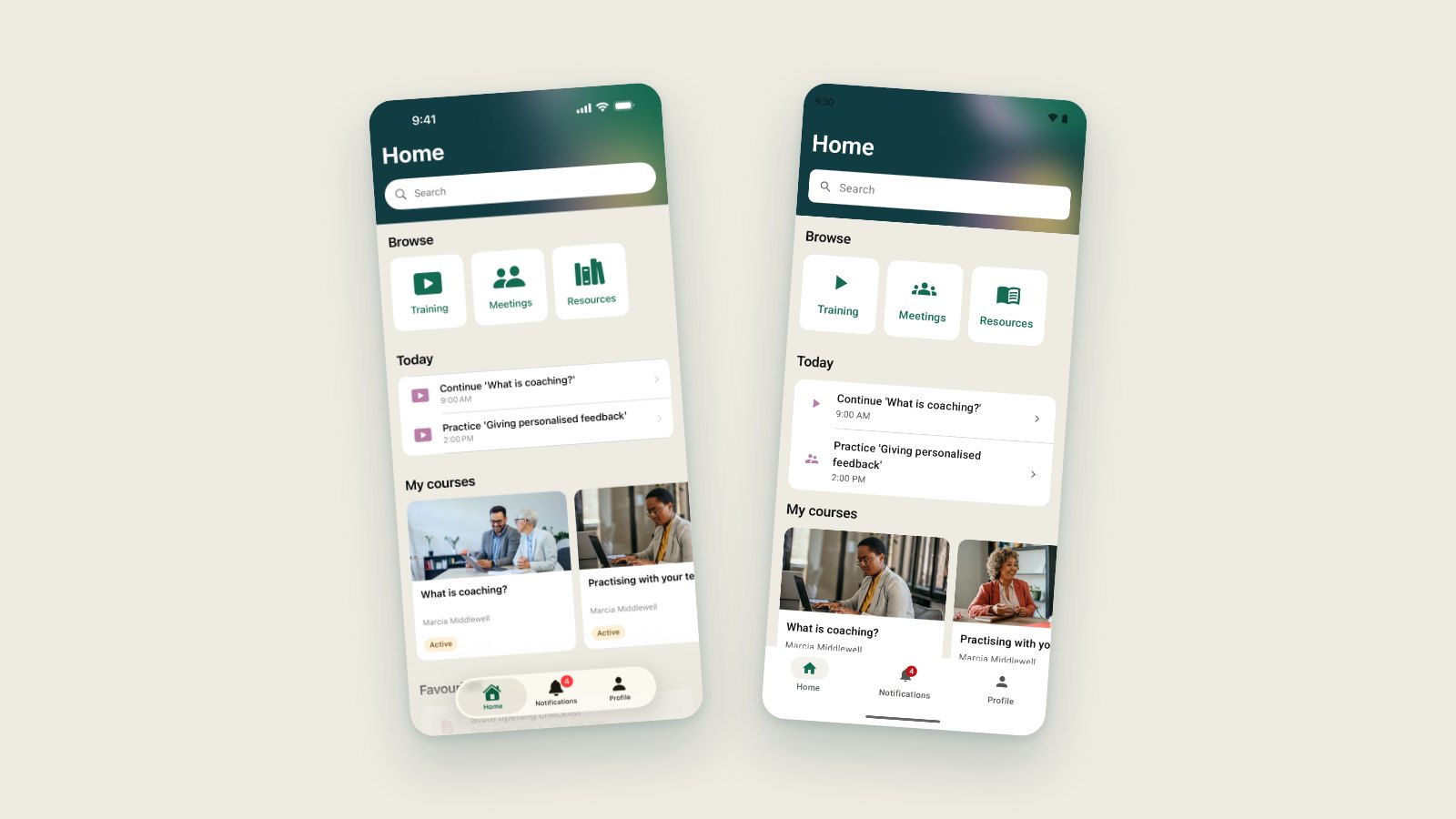
- The RedSeed app has a new look on iOS and Android, with dark mode. Every user has it and there is nothing to switch on.
- iOS 3.0.0 and Android 4.0.0 went live on 16 September 2026.
- Both apps now use the same design, so a screen looks the same whichever phone your team carries.
- Meetings and the meeting recorder are switched on per organisation, and are live for a small number of client accounts.
RedSeed for iOS 3.0.0 and RedSeed for Android 4.0.0 went live on 16 September 2026. They are the biggest releases either app has had.
Most of that work is the part you see first. The app has been rebuilt on the RedSeed design system, screen by screen, on both platforms at once.
How to get the update
Update RedSeed from the App Store or Google Play. If your phone updates apps on its own, you already have it.
New to the app? It is a free download, and you sign in with the details you already use for RedSeed.
Step-by-step help lives in the help centre.
A new look, everywhere in the app
Home, Training, Resources, your notifications, your profile. Every screen now uses the same colours, type and spacing as the rest of RedSeed.
Dark mode is in there too, and it follows whatever your phone is set to.
Nothing moved that you need to relearn. Your courses are where they were. It is the same app, wearing the brand properly.
There is nothing to switch on. Every RedSeed user on both platforms has it.
The same app on both phones
The two apps are built separately. iOS is written in Swift, Android in Kotlin. That used to mean small differences in colour, spacing and wording between them.
Both now read from the same brand tokens, so a screen on Android looks like the same screen on iOS. If your team is split across iPhones and Android phones, you can point at one screenshot and everyone sees what you see.
Meetings, if your organisation uses them
These releases also add a new area to the app: Meetings.
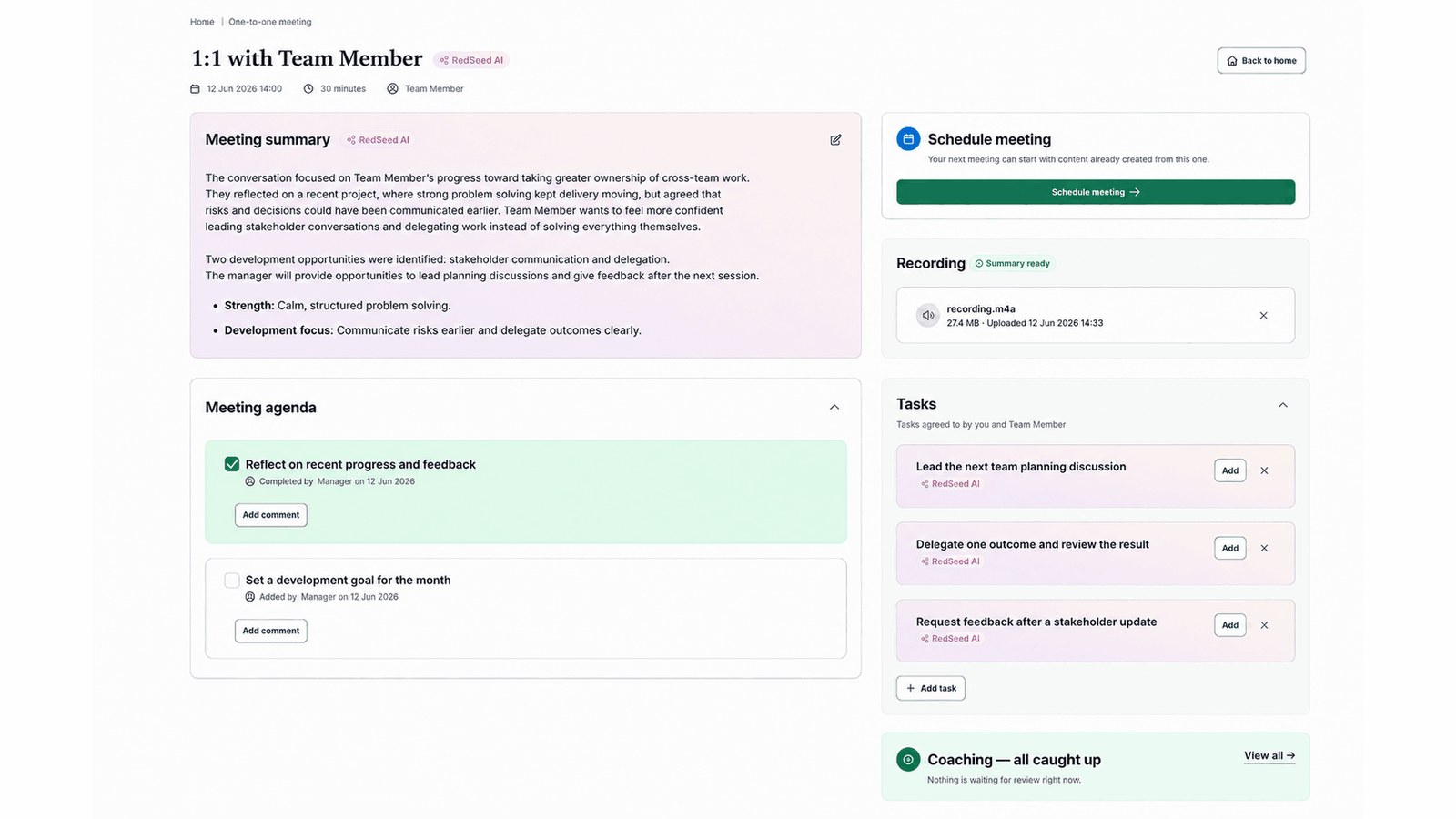
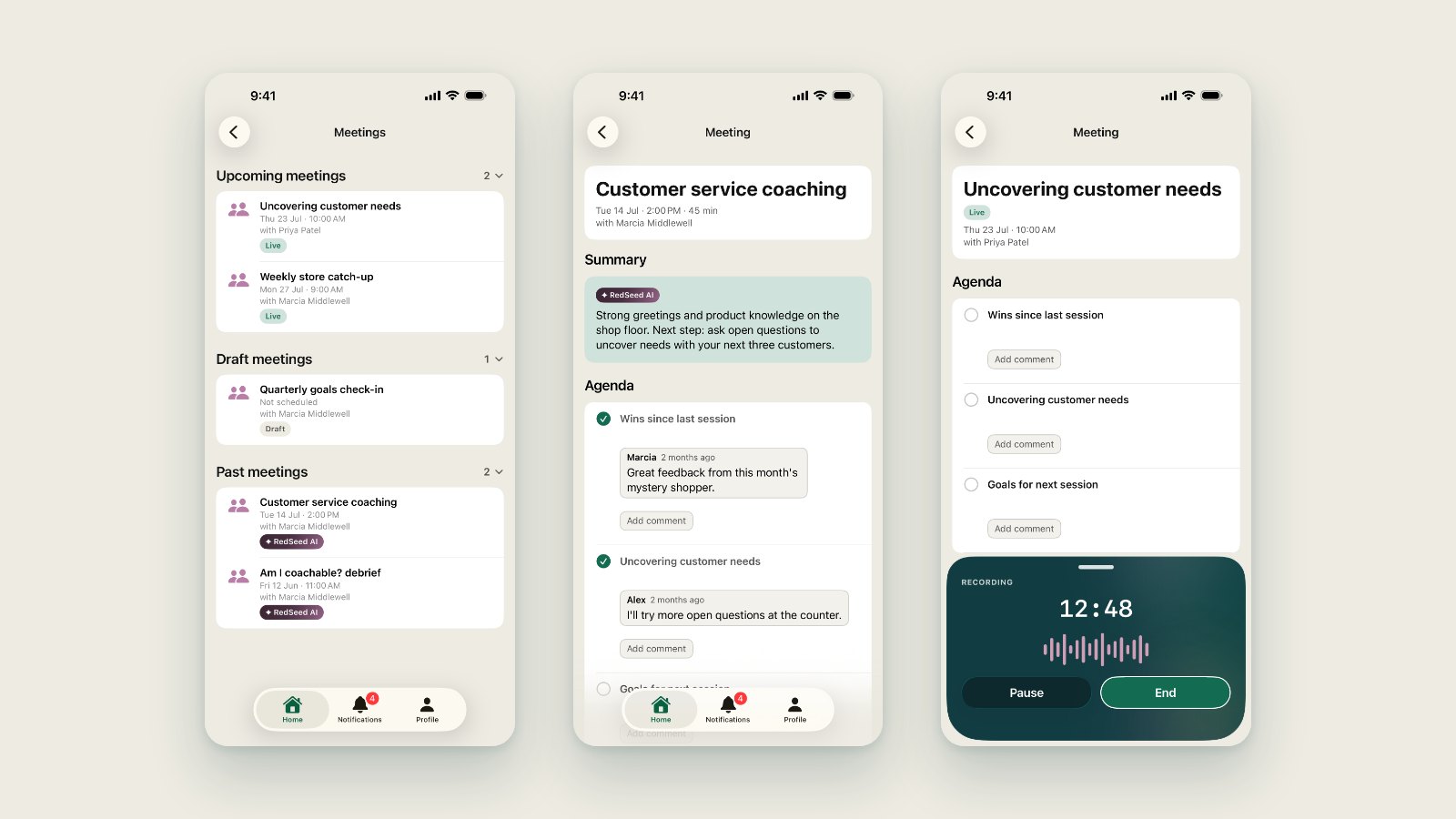
There is a list of your meetings and a page for each one. You can read the agenda, tick items off as you go, add your own items and leave comments. It is the same meeting you would see in RedSeed on a laptop, on the phone in your pocket.
Meetings is switched on for one organisation at a time, and it is live for a small number of client accounts today. If there is no Meetings tile on your Home screen, your organisation has not asked for it.
If you would like Meetings switched on for your organisation, talk to your account manager.
Recording a 1:1
For organisations that have Meetings turned on, the app can record a 1:1.
You start the recording from the meeting page. The audio is captured on your device and uploaded afterwards in the background, so a flaky connection or a closed app does not lose the meeting.
While it runs, it says so. On iPhone the recording shows on your Lock Screen and in the Dynamic Island. On Android it runs as a foreground service, with the same notice sitting in your notification shade. There is no way for it to be running quietly out of sight.
Two things worth being clear about.
The recorder does nothing unless your organisation has asked for Meetings. Installing an update does not start anything listening.
And telling people that a meeting is being recorded is your organisation’s job, not the app’s. RedSeed does not ask the other person for consent on your behalf. Our privacy policy puts that notice and consent on the organisation running the meeting, and what the law requires differs by country, and in Australia by state. If you are not sure what applies where you work, ask your HR team before you press record.
Notifications that take you to the right place
A RedSeed notification used to open the app. Now it opens the thing it was about, so a nudge about a meeting takes you straight to that meeting.
Marius is RedSeed’s Head of Product. They work on what RedSeed builds next and why, most recently the RedSeed apps for iOS and Android.